Through the Stripe integration, Arcarius accesses the Stripe data you have authorized. Instead of downloading CSV files, combining data, and preparing entries manually every month, you start the complete workflow directly in Arcarius.
How the workflow works
- Choose the period: You specify the month for which Arcarius should process the Stripe data.
- Retrieve the Stripe data: Arcarius loads the paid revenue or invoices together with the corresponding fees and payouts directly from Stripe.
- Prepare everything for bexio: Arcarius reconciles the data, checks existing contacts, and prepares the corresponding entries or invoices in bexio.
- Review and approve: You review the prepared items and approve them. They are only posted or issued after your approval.
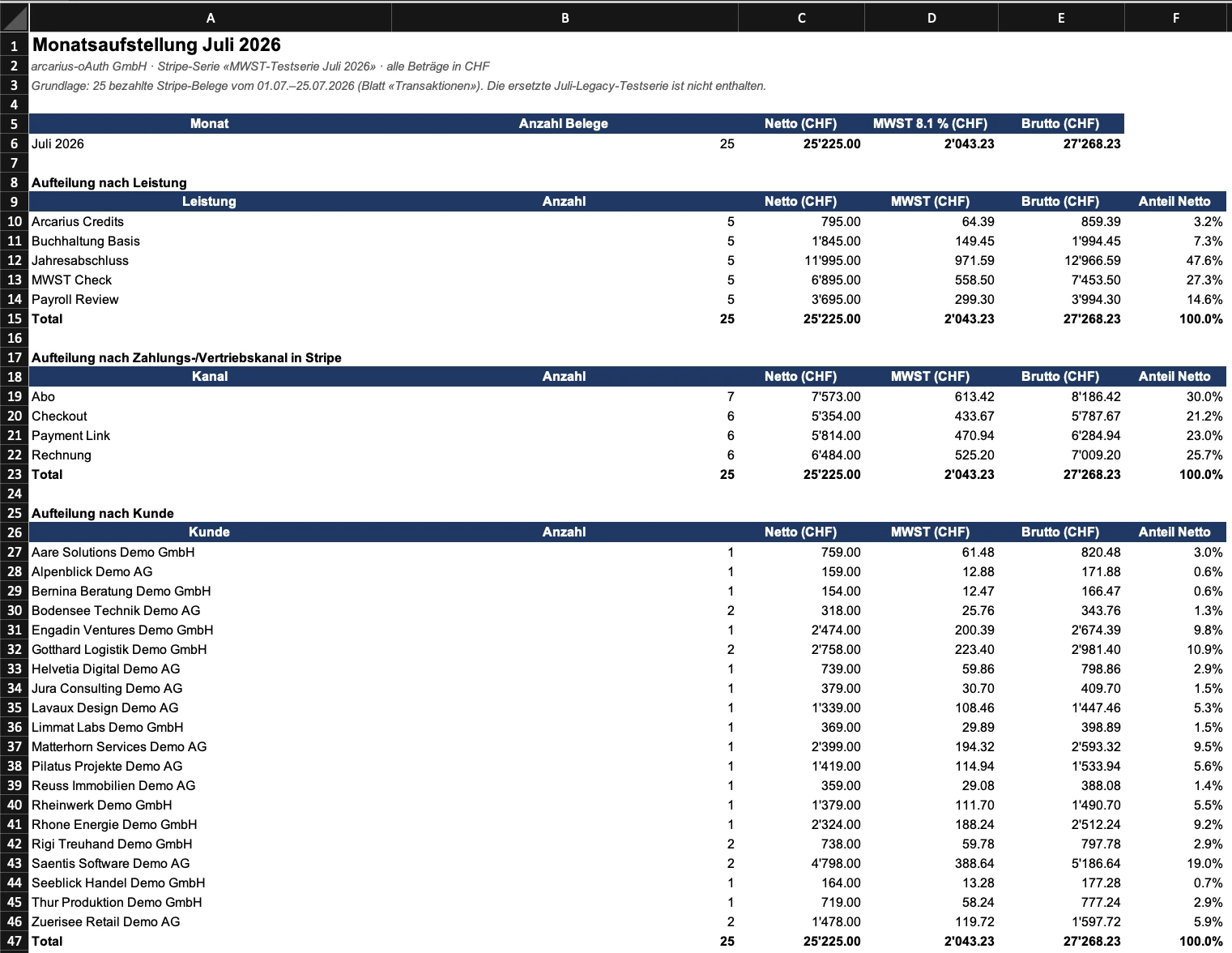
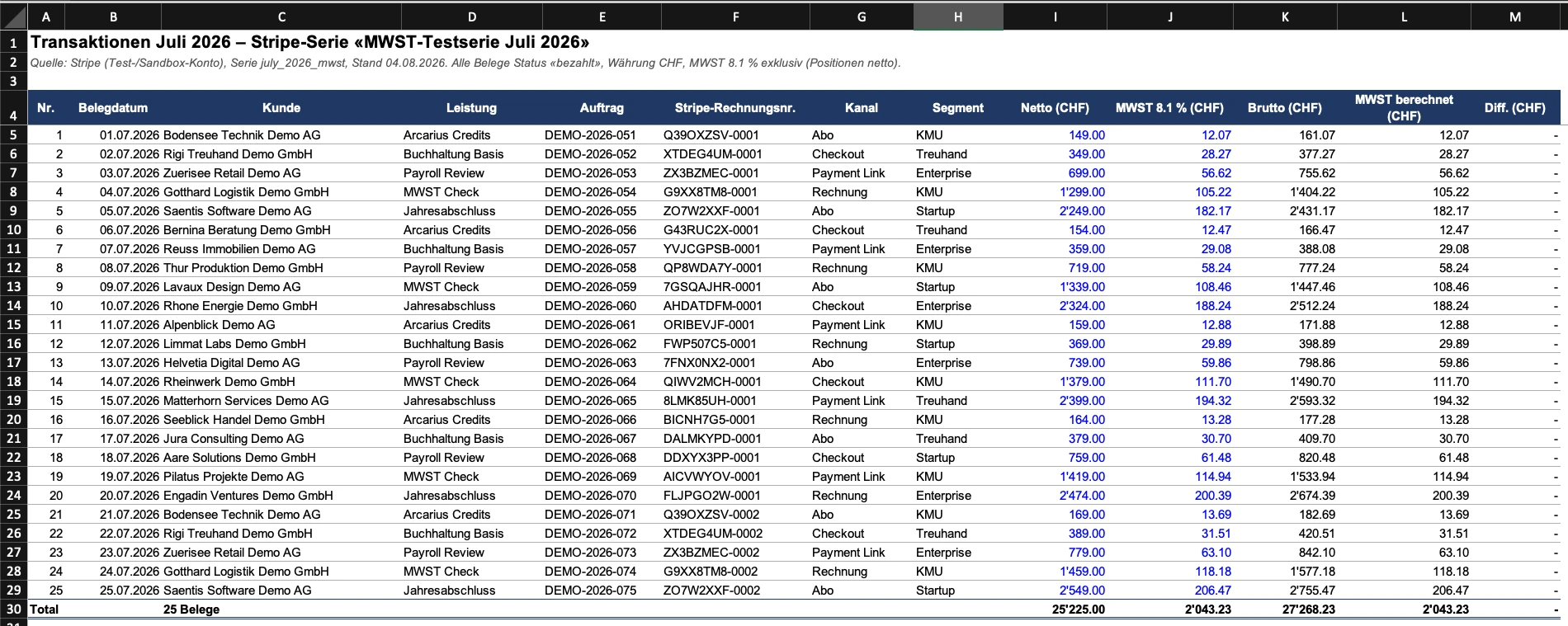
- Receive the supporting document: Arcarius also creates a structured Excel statement of the Stripe revenue for your records and audit trail.
In the example shown, Arcarius retrieves paid Stripe invoices, matches the invoice recipients against bexio, creates missing contacts, and presents every prepared invoice individually for approval.
Set it up once, run it every month
Because the workflow repeats regularly, you can save it as a scheduled task. Arcarius then runs the process independently at the scheduled time and lets you know as soon as everything is ready for approval.
You retain control while retrieval, preparation, and documentation are handled automatically.
The result in detail
The Excel workbook contains both a clear monthly summary and every individual transaction. Click any image to open the full-resolution version for closer inspection.